
Quickstart
Sign up, generate an API key, make your first call via REST or MCP.
1. Create an account
Go to /signup and sign up with email + password or Continue with Google. Then verify your email.
New accounts start with 100 free credits.
2. Generate an API key
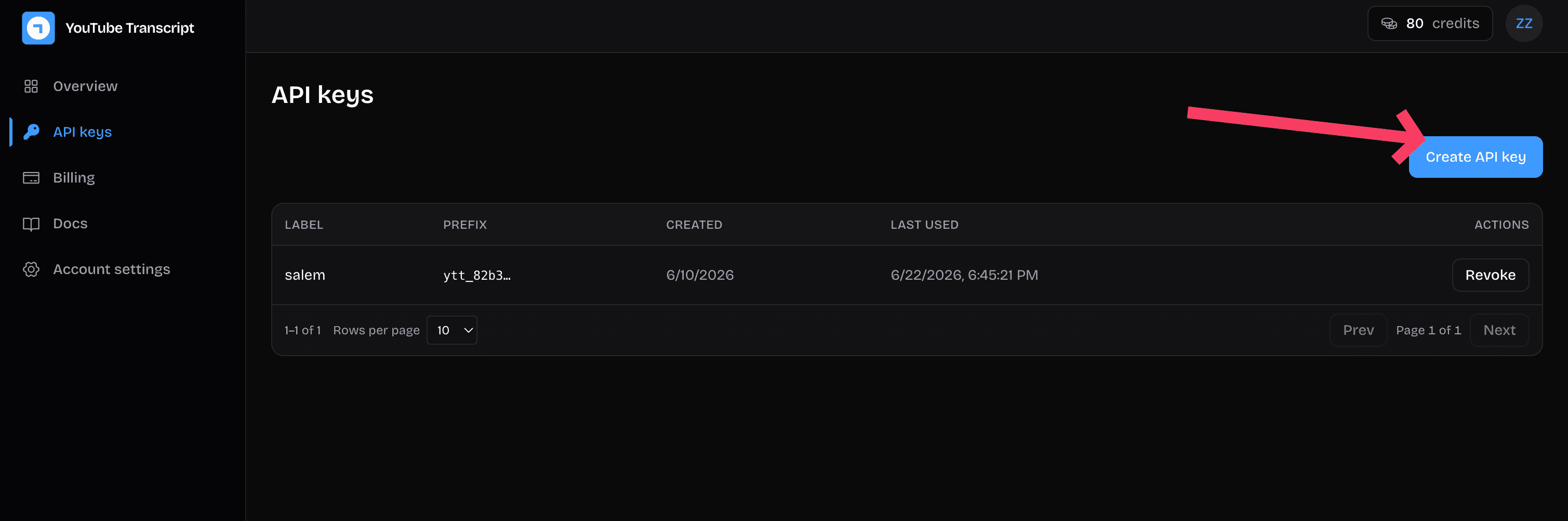
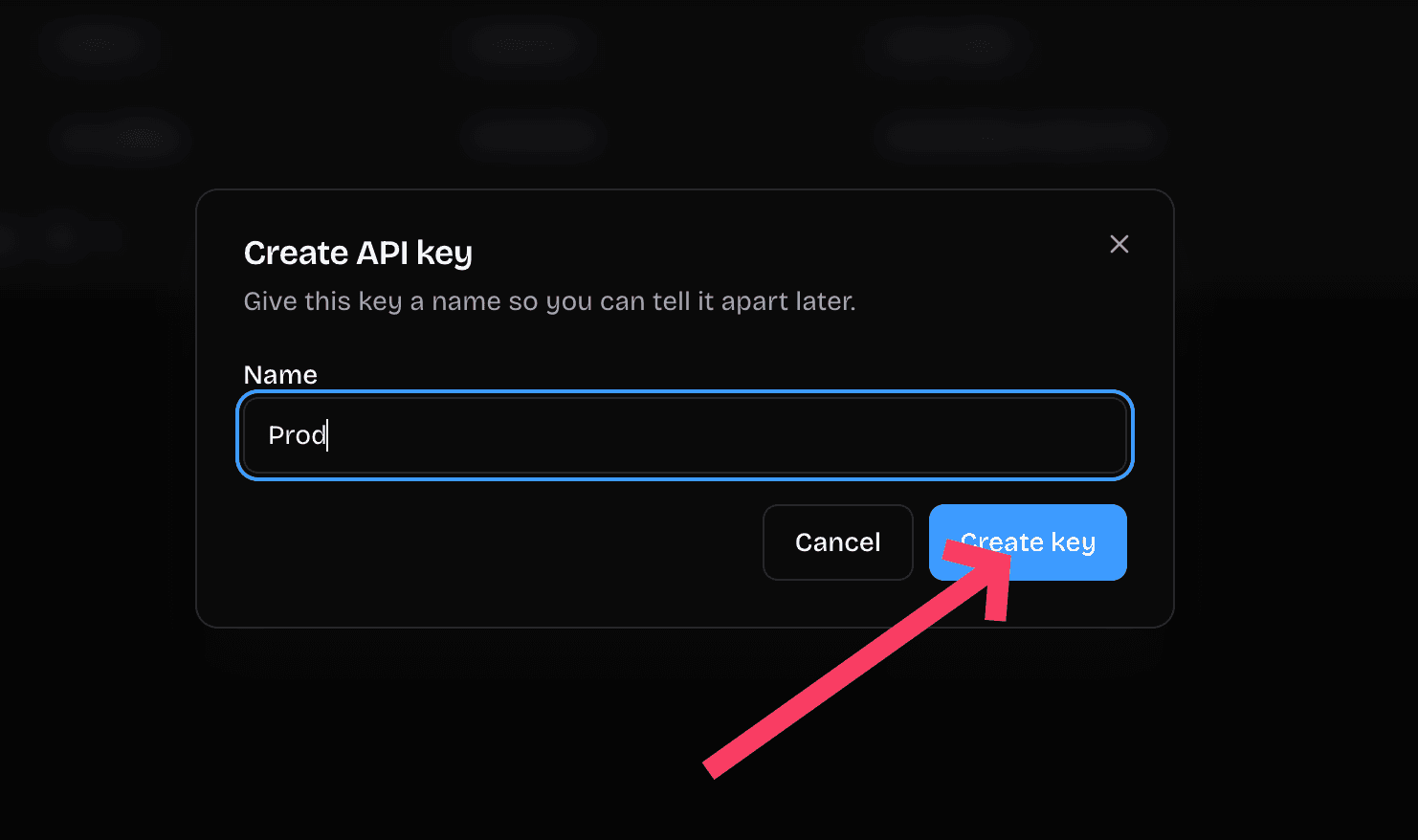
Open the dashboard. The onboarding flow walks you through creating your first key. Name it (one key per integration is a good habit), copy the secret immediately (we show it exactly once), and store it in your secrets manager.
Both prefixes accepted everywhere:
ytt_…: long-lived API key generated in the dashboard.ytto_…: short-lived OAuth access token, for apps acting on a user's behalf.
3. Make your first call
curl "https://getyoutubetranscriber.com/api/v2/transcript?video_url=dQw4w9WgXcQ" \
  -H "Authorization: Bearer ytt_your_key_here"
You'll get JSON back with the language, video id, and timestamped segments
(segment start / duration are in milliseconds). For the text-only
form, append &format=text.
Common responses:
| Status | Meaning |
|---|---|
200 | Transcript returned. |
401 | Missing / invalid Authorization header. |
402 | Out of credits. Upgrade in the dashboard. |
404 | Video has no transcript (private, removed, captions disabled). |
429 | Rate limited. Back off; response has Retry-After. |
Full parameter list: REST → Get a video transcript.
4. Or use the MCP server
Wire the platform into Claude Desktop, Cursor, or ChatGPT instead of writing HTTP code. Endpoint:
https://getyoutubetranscriber.com/mcpSame bearer token. See MCP server docs for client config snippets and the seven tools available.
5. Billing
Every successful call costs 1 credit. Failed calls (4xx, 5xx) are free.
Run out and you get a 402. Upgrade and the next call works.
See plans and credit packs at getyoutubetranscriber.com/#pricing.